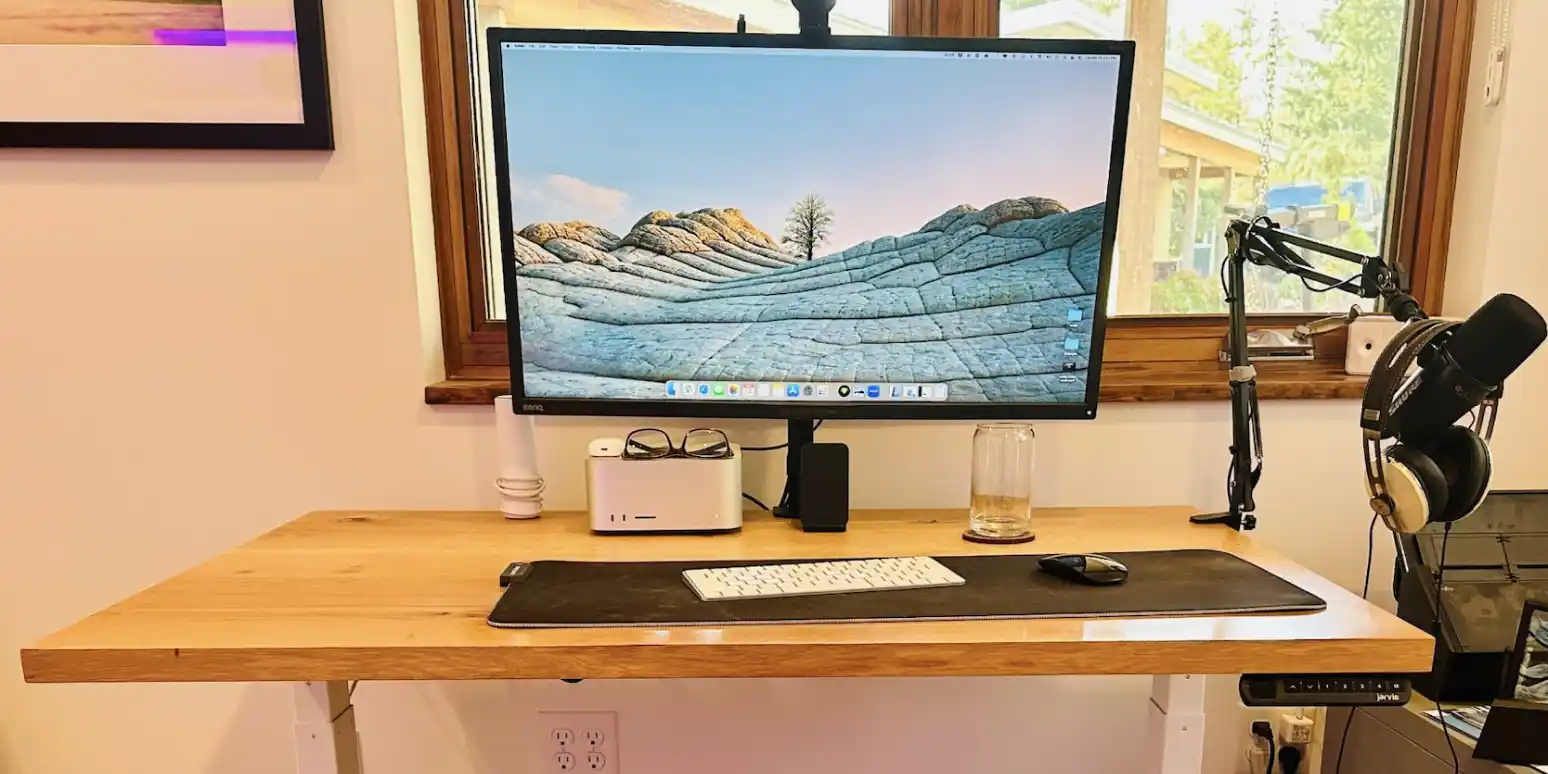
Structured Desk Arrangement for Clear Work Surfaces

Your desk is the primary layer of your workspace. Thoughtful arrangement of monitors, peripherals, and personal items creates a surface that supports focus rather than competes for attention.

Structured desk layout with monitor, peripherals, and organized surface zones
A balanced desk layout separates primary work, reference, and peripheral zones.

Surface as Spatial Canvas

Every object on your desk occupies visual and physical space. Our consultations examine how items are distributed across the surface so that your primary tools remain prominent while secondary items stay accessible but unobtrusive.

Hover-driven exploration reveals alternative configurations — shifting monitor height, rotating peripheral placement, or reallocating drawer contents to match how you transition between tasks throughout the day.

Monitor and Screen Positioning

The screen layer sits above the desk surface and anchors your visual field. Proper height, distance, and angle reduce neck strain and keep your sight line aligned with natural posture during extended work sessions.

Vertical Alignment

Position the top of your screen at or slightly below eye level to maintain a neutral neck position during reading and typing.

Viewing Distance

Place monitors at an arm's length or slightly beyond, adjusting based on screen size and whether you use single or dual displays.

Dual Screen Logic

When using two monitors, designate a primary screen for active work and a secondary for reference, preventing equal visual weight on both.

Peripheral and Input Placement

Keyboard, mouse, trackpad, and writing tools form the interaction layer closest to your body. Their positions should follow the natural arc of your arms and the frequency of each tool's use.

Primary Input Zone

Keyboard and pointing device centered in front of your body, with wrists supported and elbows at a comfortable angle near 90 degrees.

Secondary Tools

Drawing tablets, notepads, and specialty controllers placed on your non-dominant side to avoid crossing your primary work line.

Cable Management

Routes and clips that keep cables off the visible surface, reducing visual clutter and preventing tangled interference with desk movement.

Clearing and Maintaining Desk Clarity

Spatial clearing is an ongoing practice, not a one-time event. We guide you in establishing rhythms for resetting your desk surface — end-of-day clearing, weekly reorganization, and seasonal equipment audits.

As you scroll through your day, the desk transforms from a collection of items into a focused work plane. Objects that do not serve today's tasks move to storage zones, reference areas, or off-desk surfaces.

Discuss Your Desk Configuration

Share details about your current setup and receive tailored spatial guidance for a clearer, more comfortable work surface.

Contact Us